
Certificates & encryption
Certificates under control — before the deadlines force it.
A single forgotten certificate takes down a shop, portal or API — and the deadlines keep tightening: since March 2026 new TLS certificates are capped at 200 days, from March 2027 at 100. Here you'll find both: the overview of what runs where and when it expires — and the setup of automated renewal at a fixed price.
since 15 March 2026
from 15 March 2027
from 15 March 2029
The maximum lifetime of publicly trusted TLS certificates is dropping in fixed steps, set by industry ballot. Manual renewal simply doesn't scale any more.
And NIS2 demands the evidence
Germany's NIS2 implementation act has been in force since December 2025. Affected companies must present documented policies for the use of cryptography — and such a policy starts with knowing which encryption and which certificates are in use at all.
Three building blocks — depending on where you stand
Get the overview
SaQura Crypto Inventory
A scan on your own computer shows the certificates of the servers you name with their expiry dates and the encryption in your source code and its dependencies — as a clear report plus a technical inventory (CBOM). Reads only, sends nothing out.
Pro €5,900 / year — available to buy online
View product & buyMonitor continuously
SaQura CertWatch
The watchdog on your own server checks your domains from the outside every day, warns you well before anything expires and proves it with sealed reports. Trial mode without a license for up to 3 addresses.
Self-host €1,290 / year — available to buy online
View product & downloadHave renewal set up for you
Fixed-price service
We set up automated renewal in your environment (ACME — Let's Encrypt or your CA), configure expiry alerts and hand over the documentation. Fully remote, no downtime for your services, with 30 days of follow-up support.
S €2,900 · M €4,900 · L €8,900 — one-off, fixed price
Request automationThe product for continuous operation
SaQura CertWatch — on watch before anything fails.
The certificate watchdog for your own server: it checks your domains and services from the outside every day, warns you well before anything expires and proves — with sealed reports — that watch was kept. Runs on your own server — your findings and inventory stay there.
Warns before things fail
Alert levels 30/14/7/1 days before expiry (configurable), reminders until it's fixed — and the all-clear only once the new certificate is actually being served.
Checks more than the expiry date
Grades A–F with reasons in plain sentences: the certificate chain exactly as your server serves it, revocation status (OCSP/CRL), protocol and key quality — mail servers and arbitrary ports included.
Sealed reports
Every report carries a protocol number and a checksum from a continuous audit chain. Any auditor can recalculate the checksum independently — no CertWatch required.
No one has to log in
Alerts and reports arrive by e-mail (German, English, Japanese), expiry dates as a calendar subscription, and your systems connect via webhooks and a read API.
Tenants and your own brand
End customers with their own recipients and reports under your logo — built for IT service providers and MSPs.
Finds what was forgotten
Inventory discovery via the public certificate logs: suggests certificates of your domains nobody remembers — and reports when new ones appear.
Start without a license: trial mode monitors up to 3 addresses — download the package, set a password, try it.
Buy
Self-Host
Your server, your data
- All checks, unlimited addresses
- Sealed reports + continuous audit chain
- Tenants, your own brand, webhooks, read API
- License file by e-mail, updates during the term
- Windows · macOS · Linux (systemd)
MSP monthly
For service providers: per managed tenant
Up to 10 tenants €69 · each additional €6 · from 20 tenants unlimited for €129 — all per month, excl. VAT.
- Every check, unlimited addresses — for any number of end customers
- Tenants with their own recipients and reports under your brand
- The licence renews itself — no more licence files to handle
- Change the quantity any time in the customer portal, cancel monthly
Special terms or questions? Contact us
Self-Host: annual subscription, renews automatically — cancellable to the end of each term. MSP: monthly subscription, cancellable to the end of each billing month. Prices excl. VAT.
Also as an iPhone app
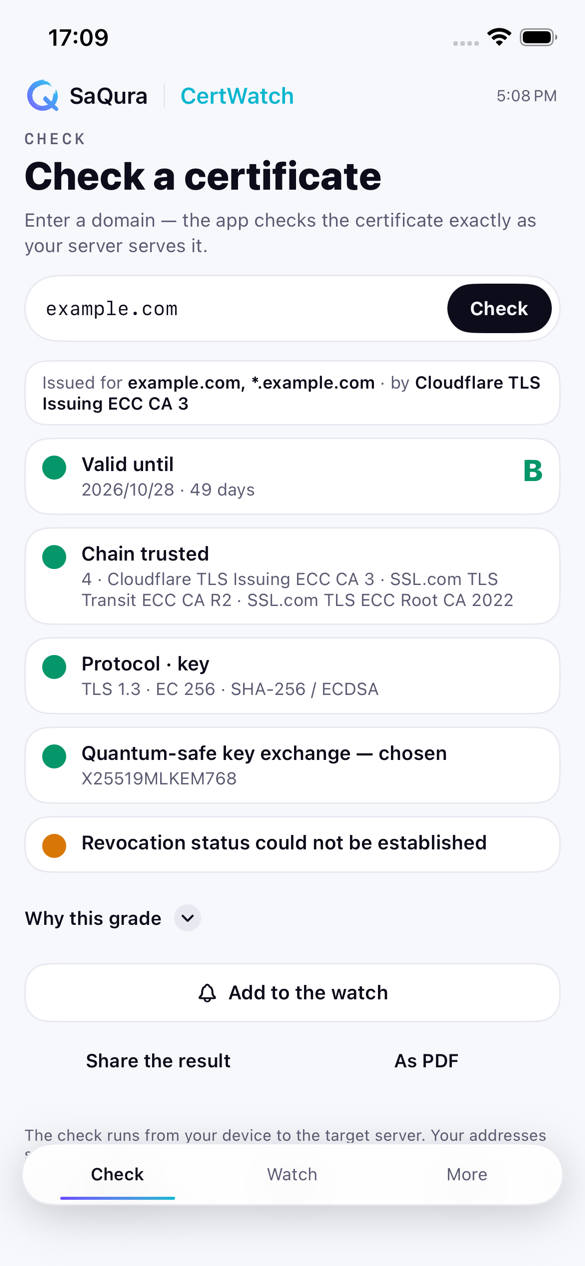
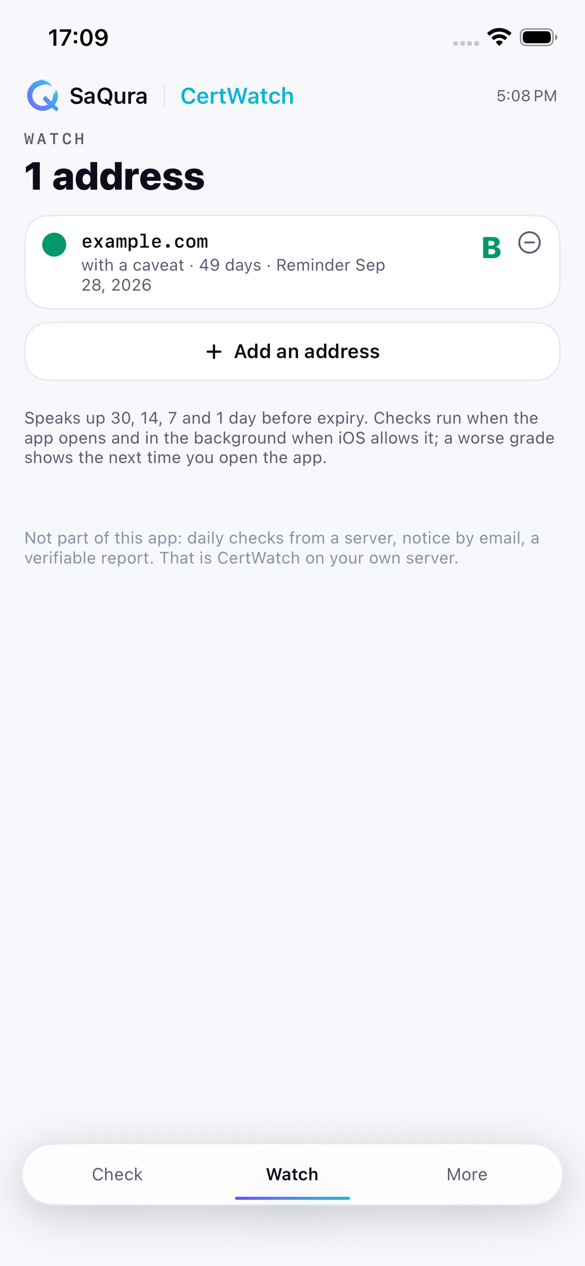
SaQura CertWatch for iPhone checks any address the way a browser would see it and shows the grade A to F with its reasons — on the go, no account. Up to three addresses stay under watch, with alerts 30, 14, 7 and one day before expiry; a one-time in-app purchase extends the list to 25.
Free · iOS 17 or later · the same grading as the watchdog on your server

Renew
CertWatch is an annual subscription: renewal happens automatically and the new license file arrives by e-mail every year — drop it into the settings, done. If a license runs out (for example after cancellation), CertWatch keeps watching for another 14 days and then stops its checks; your data is preserved. To reactivate, simply purchase again. With the MSP subscription it is simpler still: CertWatch fetches the renewed licence itself — once a day it asks KyotoTech, sending only a checksum of the licence number, never any monitoring data. If you prefer not to, switch it off in the settings menu and receive the licence file by e-mail.
Download
Current version 1.2.3 — with license-free trial mode (up to 3 addresses). After downloading, compare the SHA-256 checksum:
Windows (10/11, 64-bit)
SaQura-CertWatch-Windows.zip · 50,3 MB
SHA-256 231109fc1f895f491c92a60e5baff4308c3ae3254abda8335d454947a63e04a3
macOS (Apple silicon, macOS 12+)
SaQura-CertWatch-macOS.dmg · 47,9 MB
SHA-256 7f6958c44b13bf87f47edb5f581568ddc6e5be5e689181e7939262f526d72195
Linux x86-64 (with systemd template)
SaQura-CertWatch-Linux.tar.gz · 43,5 MB
SHA-256 d95de3a2fab10525f866adbc83e15e97105dad359e3123abdcf5f239a27b9876
Linux arm64 (Graviton · Ampere · Raspberry Pi)
SaQura-CertWatch-Linux-arm64.tar.gz · 41,4 MB
SHA-256 b2d9a686deaa804794343704aec24ec49b69dcecaed496444b398513114f7c73
Compute the checksum: macOS/Linux shasum -a 256 <file> · Windows certutil -hashfile <file> SHA256
Windows packages are signed (KyotoTech LLC, via Microsoft's signing service); the macOS package is notarized by Apple. Note on macOS: TLS 1.3 and revocation checks are limited by the system there, and it runs on Apple-silicon Macs only — macOS is fine for trying it out and for the desk; for continuous operation we recommend Linux or Windows.
How the setup works
Four steps, fully remote — no phone call, no project to set up.
1 · Pick a package, fill in the form
S, M or L — plus a short online form: which systems, which CA, how many certificates. Five minutes, no call.
2 · Fixed price confirmed in writing
Within one working day you receive scope, price and date in writing — before anything is touched. If it doesn't fit, nothing has happened.
3 · We set everything up
Via remote access — you only grant the access. A test run against the staging CA first, then the real switch; your services keep running throughout.
4 · Handover & follow-up
You receive the full documentation and configured expiry alerts. We're available for questions for 30 days.
Package sizes apply to standard systems (e.g. Linux web servers, IIS, Caddy). Systems without ACME support — such as appliances or load balancers — are documented and covered by expiry alerts; anything beyond that we clarify up front. Larger environments are planned individually.
Where do you stand right now?
Describe your situation in a few lines — you'll get a clear recommendation which building block is the right first step.
Get in touchLifetime steps per CA/Browser Forum ballot SC-081v3 (April 2025): max. 200 days since 15 Mar 2026, 100 days from 15 Mar 2027, 47 days from 15 Mar 2029; applies to publicly trusted TLS certificates. Germany's NIS2 implementation act in force since December 2025; Art. 21(2)(h) of the NIS2 Directive names policies and procedures regarding the use of cryptography and, where appropriate, encryption.